
On this page9 min read
At a glance
- Client
- Fluid Events Inc., the company behind EventMate
- Founder
- Sabrina Roy, CEO and founder
- Industry
- Nonprofit fundraising events
- Location
- Toronto, Ontario
- What DevToDollars did
- Product and UX design, MVP development, custom web app development, ongoing product support
- Built as
- A web app guests open from a QR code, and can install on their phone
- Timeline
- June 2024 to today. Soft launch September 2024, public launch February 2025
- Engagement
- Fixed-price milestones to launch, then a flexible monthly retainer
Background Sabrina Roy spent more than a decade planning nights for nonprofits. No platform covered all of it. So she set out to build one.
Sabrina runs Fluid Events, a boutique event planning agency in Toronto that works with nonprofit organizations. Years of working those nights had shown her exactly what the existing tools were missing, right down to the moment a guest decides to give. EventMate is her answer: one app for the three groups who make a fundraising night work.
Organizers
Set up the event page, giving, auctions and sales in one place.
Guests
Find everything for the night on their phones.
The nonprofit's team
Watch donations, bids and sales arrive as they happen.
The challenge Fundraising nights ran on stacks of paper and a patchwork of tools. Building something better took more than code.
Before
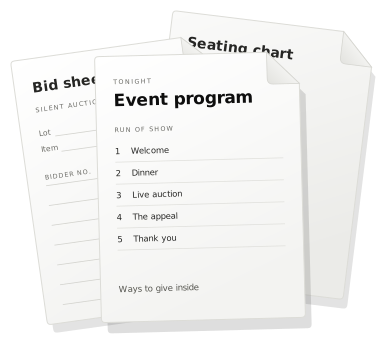
- Paper everywhere: printed programs, seating charts and bid sheets
- Too many tools: a patchwork that never quite fit together
- Giving on the spot: payment had to keep up with the impulse
With EventMate
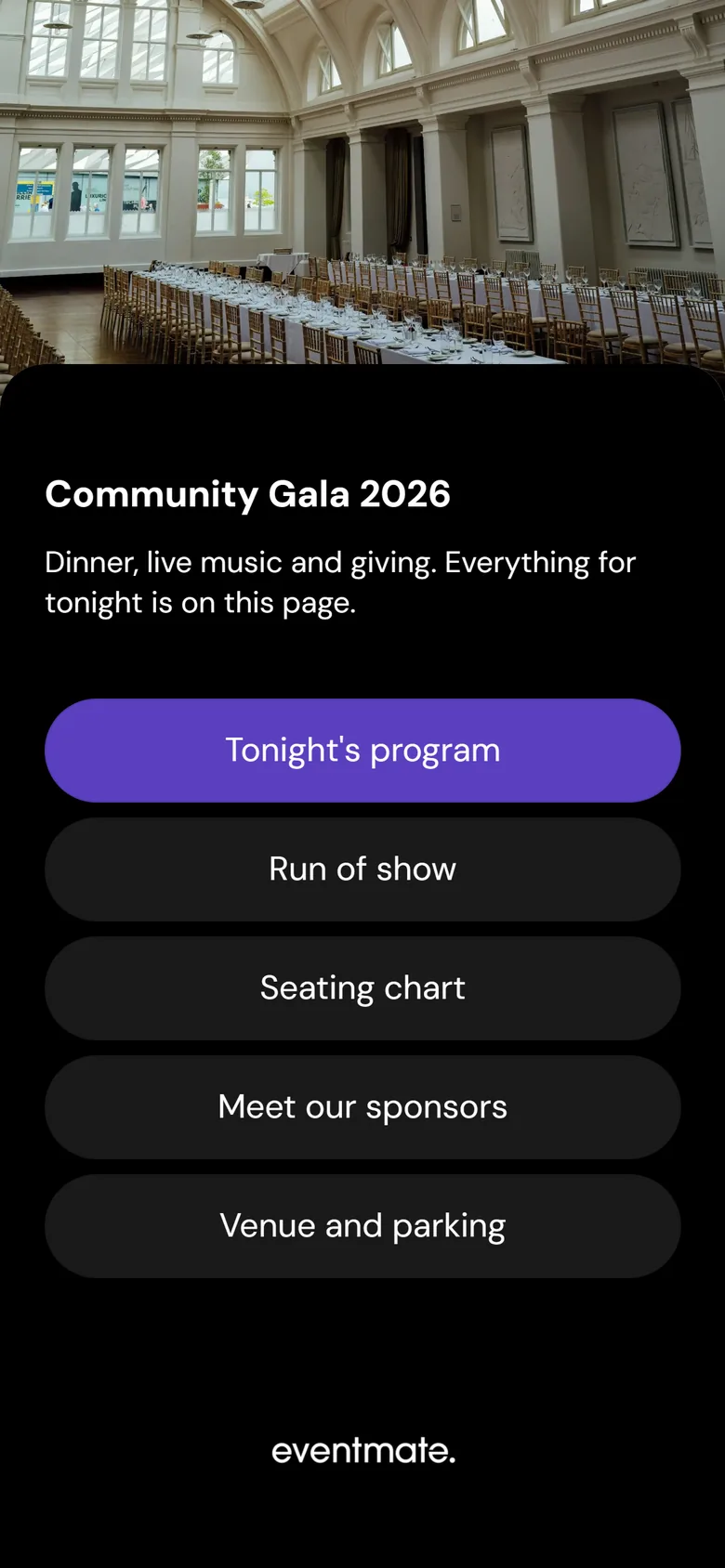
- Every phone carries the program, seating chart and bids, from one code
- One platform for the event page, giving, auctions and sales
- A tap to give, with Apple Pay or Google Pay
Sabrina had a clear picture of the product. What she did not have was anyone to build it: no designer, no UX specialist, no product manager, and no agency she had worked with before. A referral brought her to DevToDollars, and the team took on all three roles.
The solution The whole night runs on one custom web app. Designed mobile first, and installable like an app.
With no existing platform to fit around, custom software development let every decision start from how those nights actually run. And at a fundraiser, everyone is on their phone. So the DevToDollars team designed EventMate mobile first and built it as a progressive web app: a custom web application that opens in any browser from a QR code, and installs on a home screen like a regular app, without an app store.
One night, one code: what organizers and guests get
Today, a night on EventMate runs like this. Guests need nothing but the code, and the nonprofit's staff open each tool they use from its own shareable link. The paper is gone.
Before the doors open
Share one QR code
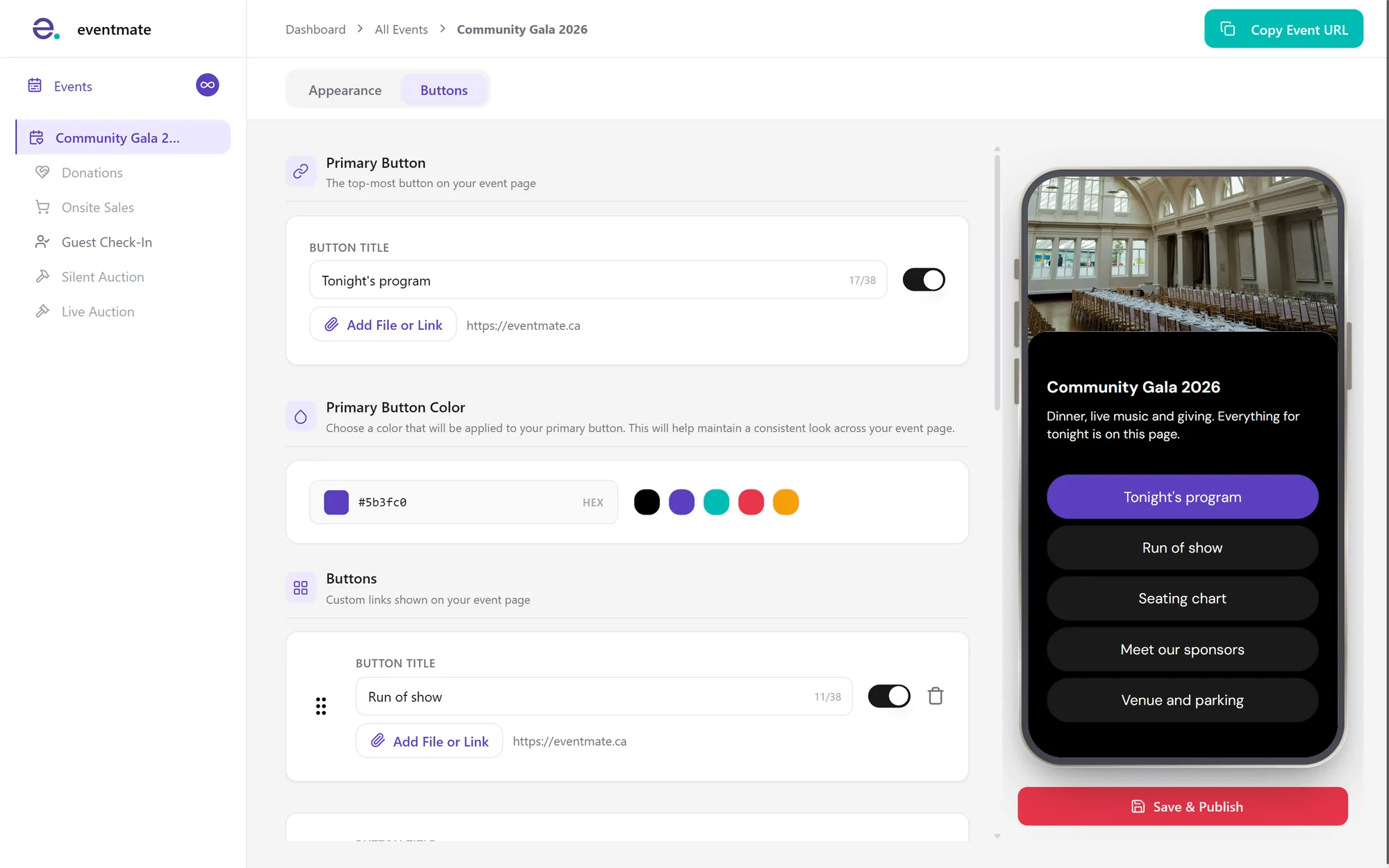
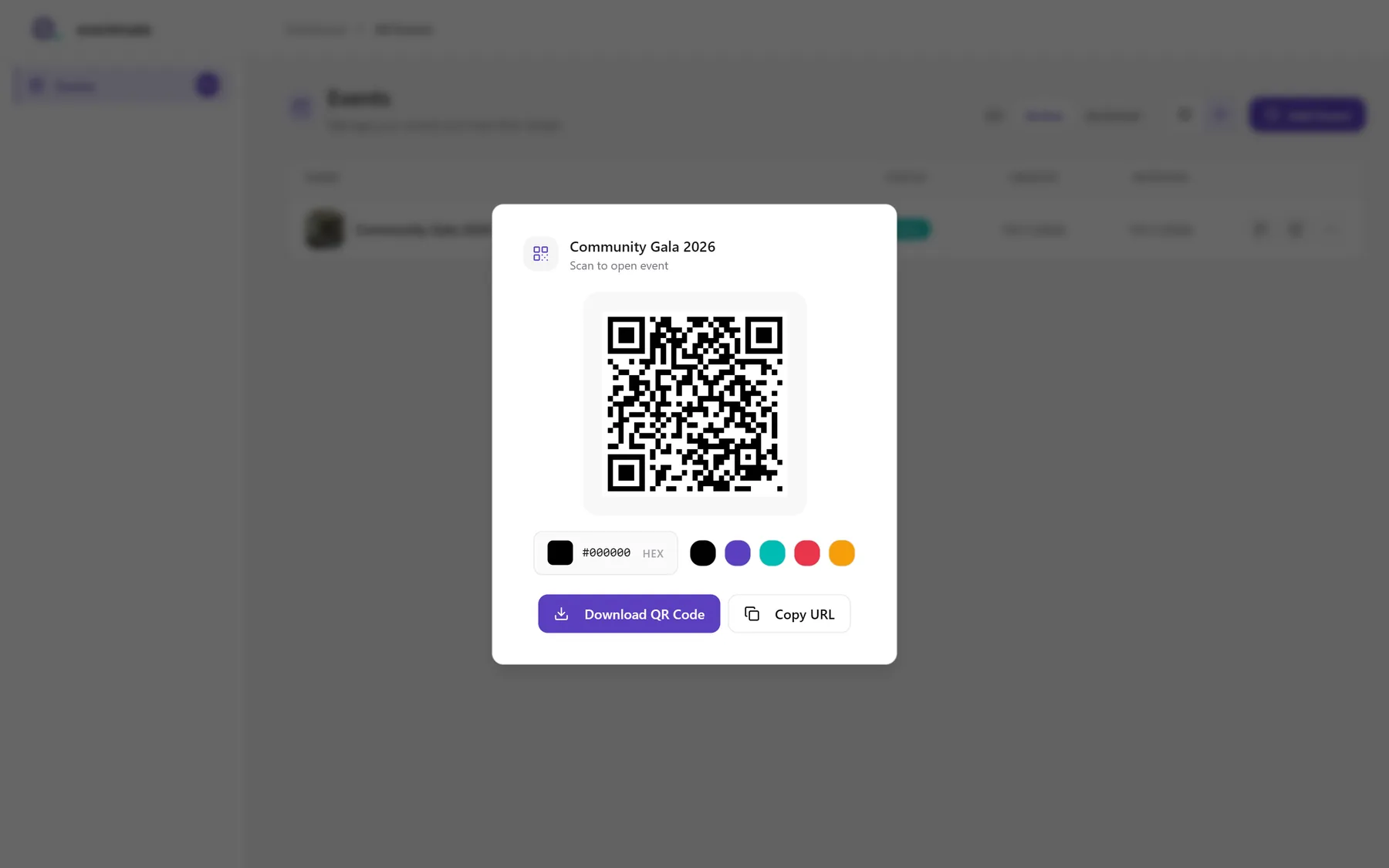
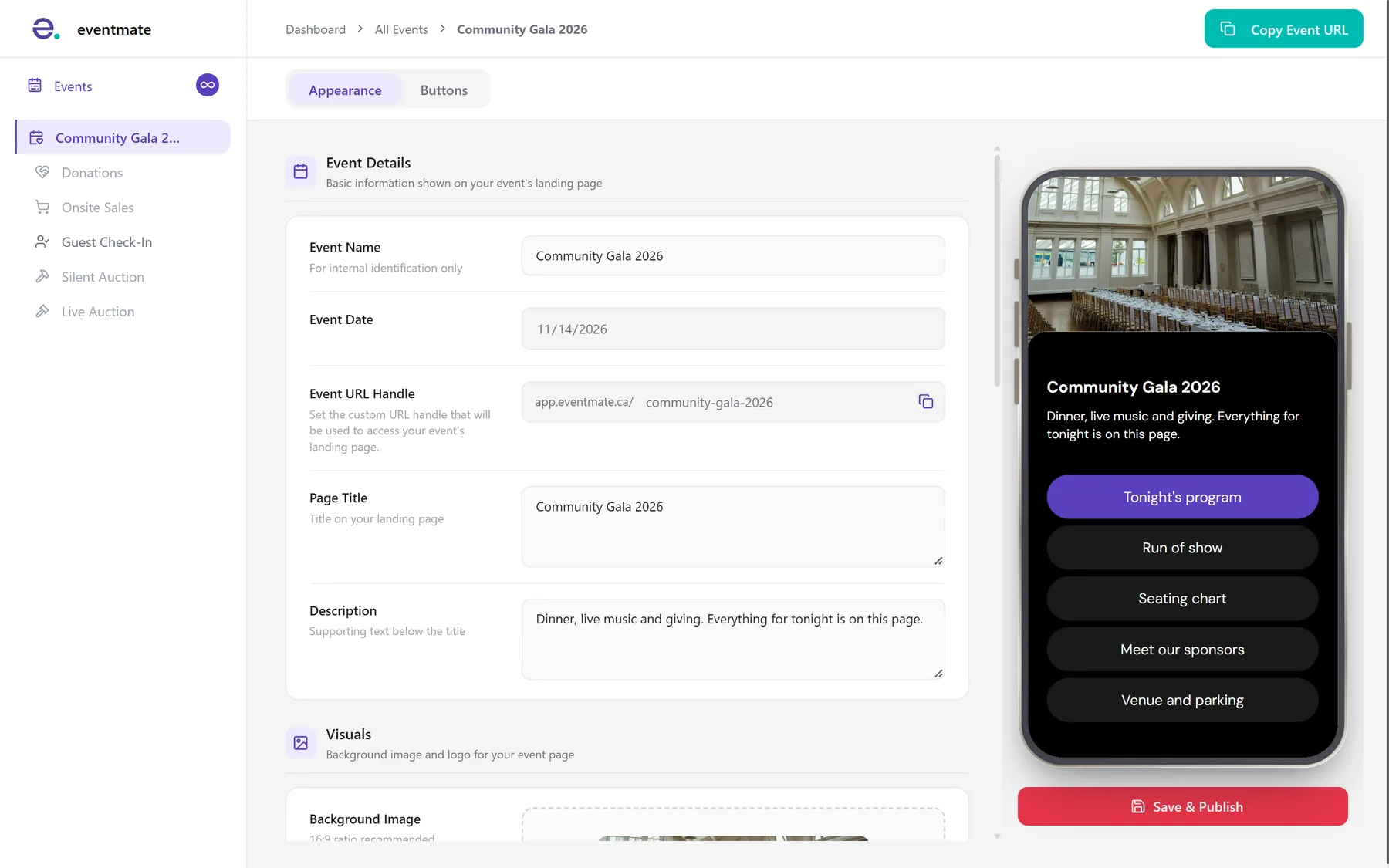
Organizers brand the event page with their own photo, logo and colours. Then they download a QR code to match.
At the door
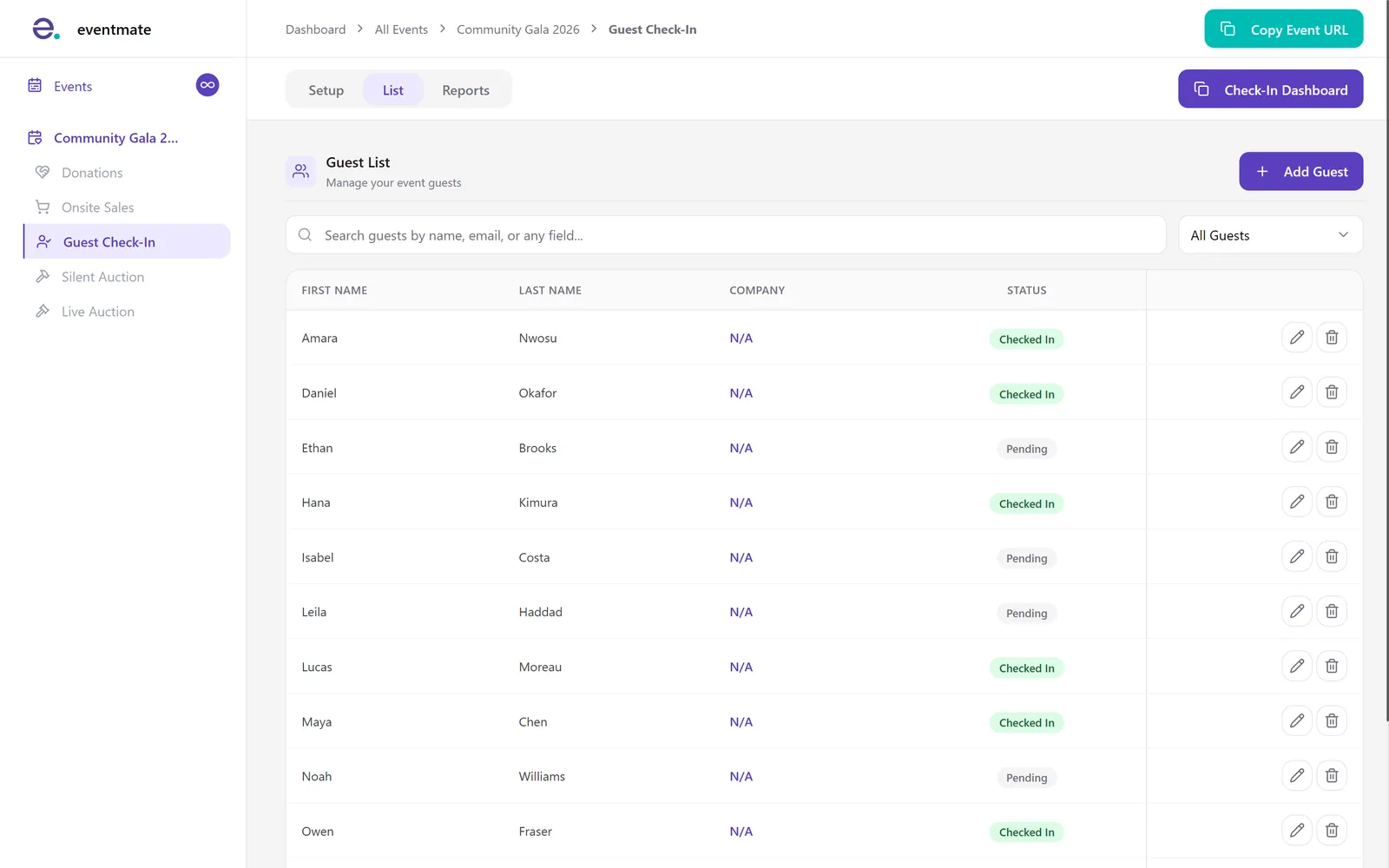
Check guests in
Staff open the check-in dashboard from a shared link, on any tablet or phone. Each arrival lands on the guest list instantly.
As the room fills
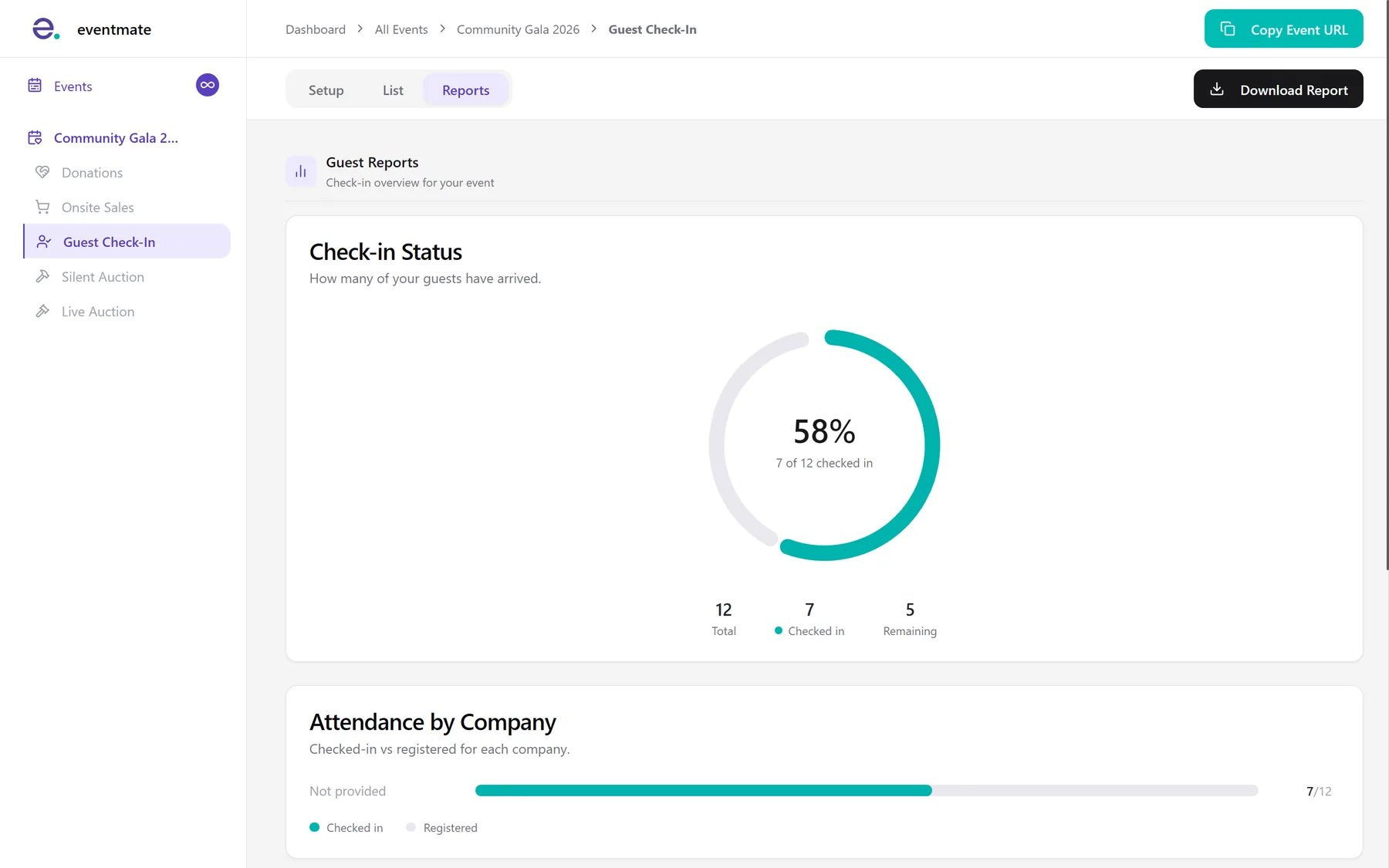
See who is here
Live reports show how many guests have arrived and how many are still to come. Attendance is broken down by company too.
During the night
Give, bid and buy
Guests give from the same page with Apple Pay or Google Pay, and their donation receipts go out automatically. Donors can also choose to cover the processing fees, an option DevToDollars recommended, so more of every gift reaches the cause.
Give.
Bid.
Buy.- Donations, with the total climbing on the big screen
- Silent and live auctions
- Merch and product sales
Give.
Bid.
Buy.
- Donations, with the total climbing on the big screen
- Silent and live auctions
- Merch and product sales
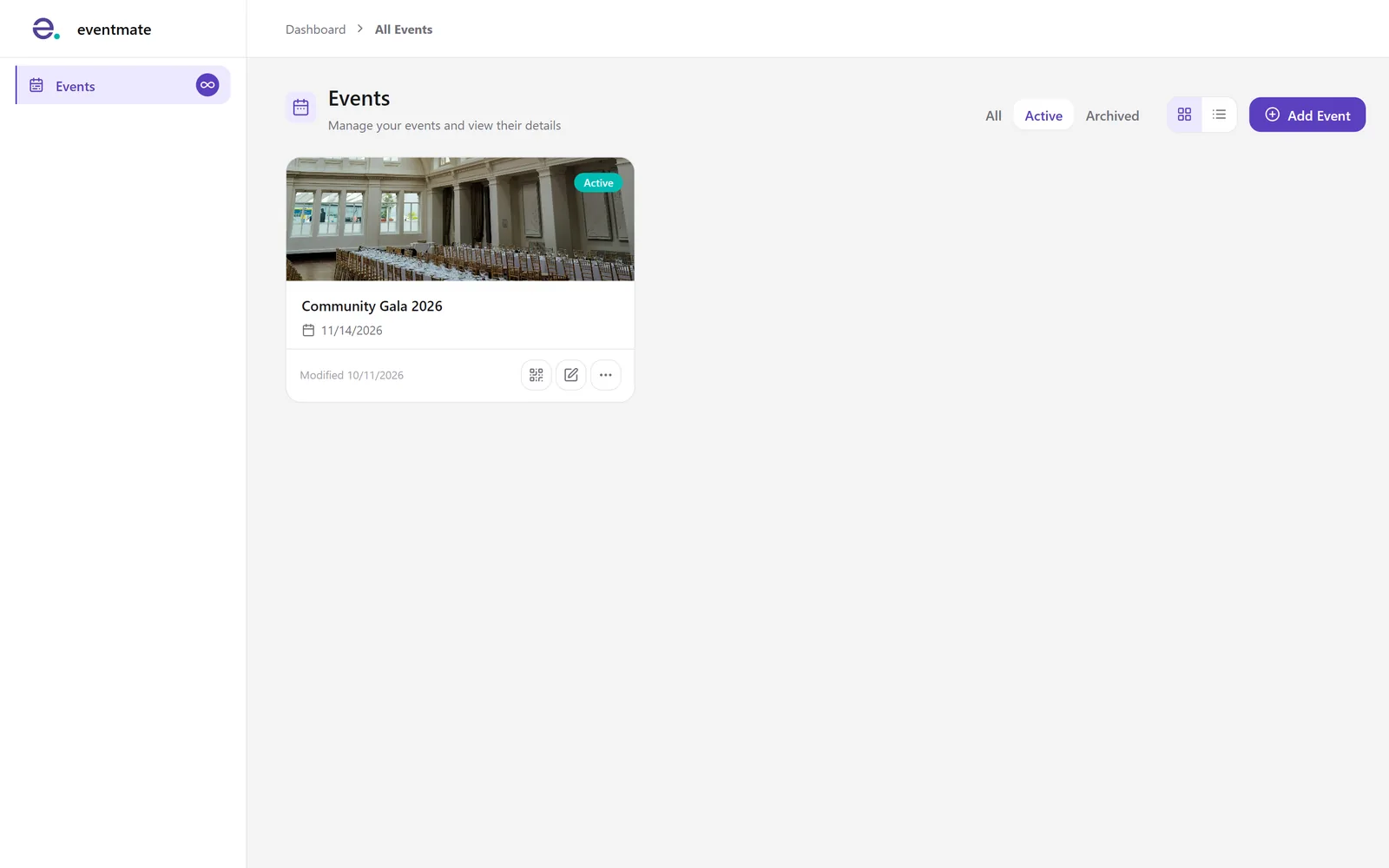
The events dashboard
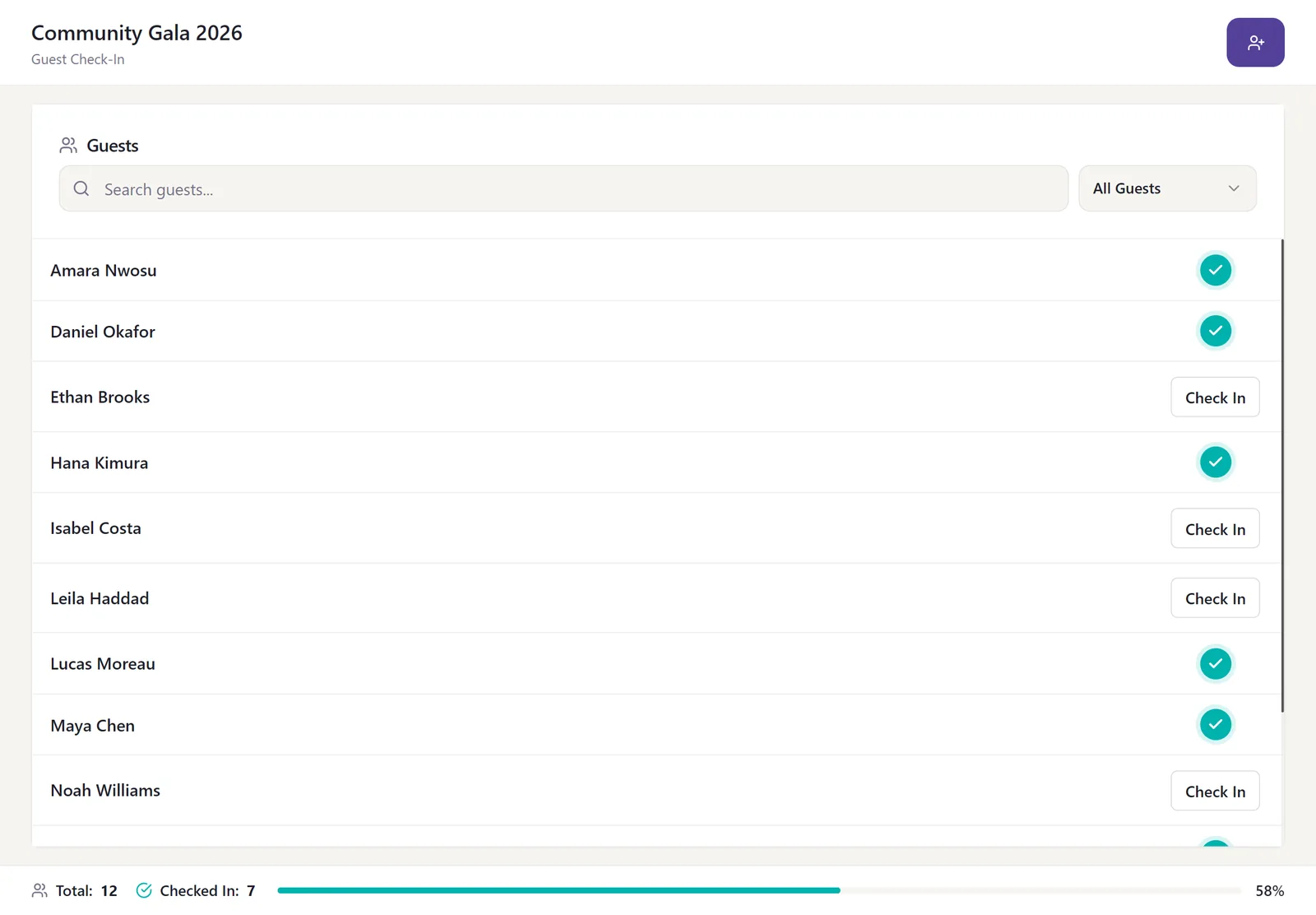
Check-in on a tablet
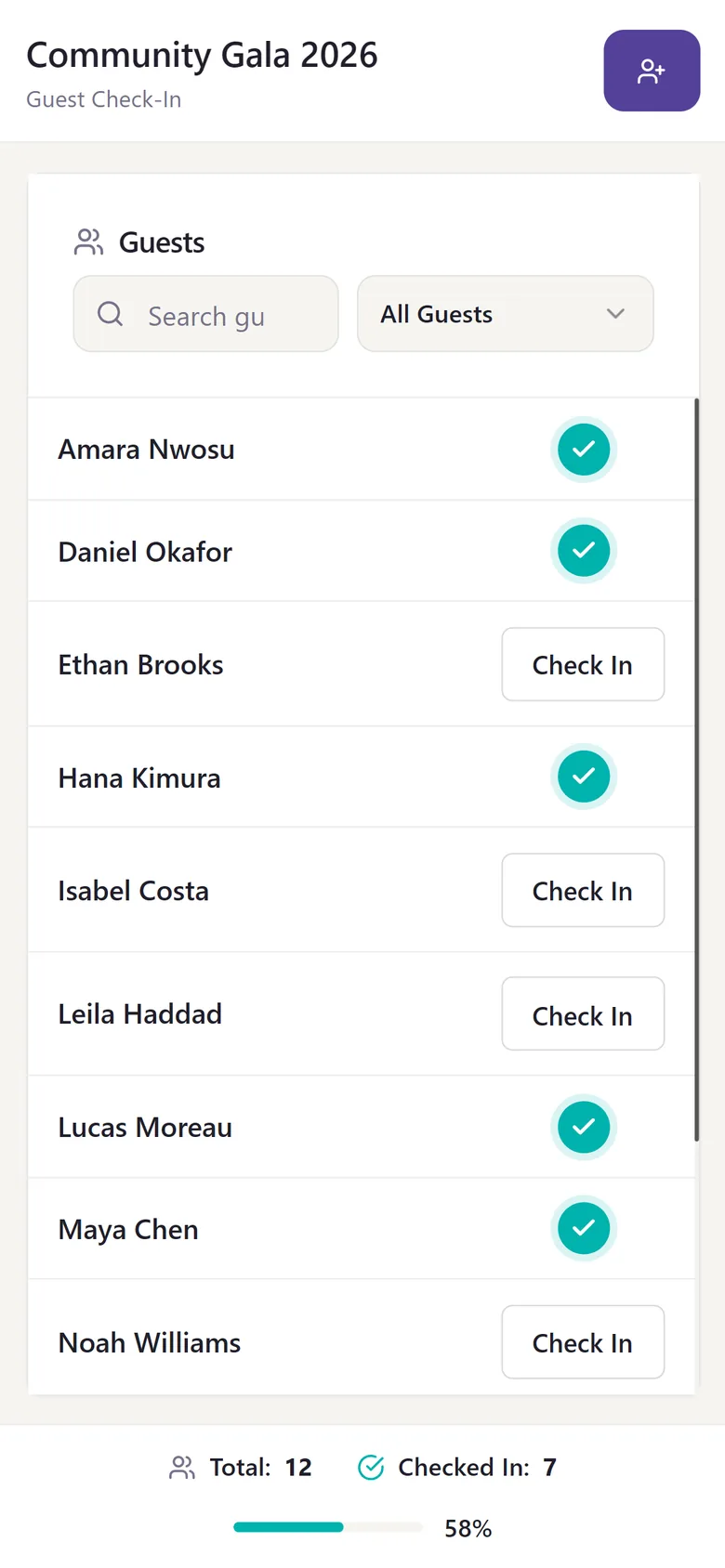
Check-in on a phone
Scoped to launch fast: event pages first, donations next
None of this arrived at once. EventMate began in June 2024 as a minimum viable product (MVP): a Linktree for events, one page behind a QR code, with buttons for the program, the seating chart and anything else guests needed that night. Small as it was, it went straight at the gaps Sabrina had spent years working around, and it reached a soft launch that September, less than three months later.
Donations came next and opened EventMate to the public in February 2025. Auctions waited, on purpose: the team wanted real clients on the platform first, so that each new feature answered something they had actually asked for. That is what developing an MVP is meant to do, and it is how DevToDollars runs its MVP development for founders.
- Jun 2024Work begins
- Sep 2024Event pages, soft launch
- Feb 2025Donations, public launch
- Jun 2025Merch and product sales
- Jan 2026Silent auctions
- Apr 2026Live auctions
- Jul 2026Complete redesign
A process built around a non-technical founder
Two years of steady releases depended on a way of working that suited Sabrina. She is an event expert, not an engineer, so the team shaped its MVP product development around her: short design loops, and working builds she could click through herself.
Scope the MVP
Version one was defined together and priced as fixed milestones.
Show, then refine
Regular demos, plus private test copies of the app to try every change before guests ever saw it.
Add the right people
Design consultants, then more developers as the product grew.
Flex the pace
Intensive build months before a launch, and a lighter monthly rhythm once things settled.
- Founder time
- A few hours a week at the start. As her own team grew, it took over the day to day.
- Staying in touch
- Video calls for demos, messages and email in between, and one shared task list.
- Who decides
- Always Sabrina's team. Fluid Events owns the code; DevToDollars advises.
Working this way kept the time asked of Sabrina manageable while she ran her business. Her own team, meanwhile, came to know the product well enough to ship small improvements of its own, with DevToDollars keeping an eye on quality. Two moments show what that advice looked like in practice.
One fix, every nonprofit
When one nonprofit asked for a rule of its own, the quick fix would have been a one-off just for them. The team made it a setting any nonprofit can switch on instead, which meant fewer special cases to maintain and fewer surprises later.
When a design did not work
Sabrina pictured an animation for the public donation page that its structure could not support. The team said so early, then tried anyway. When it still fell short, they came back with alternatives, and she picked one that worked and matched her taste.
I had an incredible experience working with the DevToDollars team. They were not only responsive and fully understood the vision but also made the entire process seamless. As a founder without a technical background, I was nervous about diving into the tech side, but they were able to simplify everything in a way that was easy for me to understand.
 Sabrina Roy CEO and founder, Fluid Events
Proven foundations, so the budget went to features
One big reason that first version launched in less than three months: EventMate did not begin from a blank page. DevToDollars built it on its own MVP Boilerplate, free and open source starter code with sign-in, payments and email already working. The groundwork was done on day one, so the build could focus on what makes EventMate different.
The setup is deliberately lean. No heavy servers where a light one would do, which keeps running costs low and leaves nothing to rebuild as events get bigger. Payments run through Stripe, so EventMate never stores a card number, which keeps donors safe and the risk off Sabrina's plate.
One event page grew into donations, sales and two kinds of auctions, all on that same foundation. Each new feature built on the bespoke software already there, so ongoing web application development never had to start over.
 devtodollars / mvp-boilerplatePublic
A mobile and/or web boilerplate that covers all your MVP needs.
997
stars on GitHub
The impact $2.5 million raised through EventMate. A million of it in a single night.
By October 2026, twenty months after donations went live, EventMate had powered live giving at Nathan Phillips Square, and some of Canada's best-known nonprofits were raising money with it.



$2.5M
raised for nonprofits through EventMate
$1M
raised in a single night, the biggest so far
200+
events hosted since launch
- 10+
- nonprofits
- 1,500+
- guests and donors
- $100
- typical gift, though the average is $1,000
- 3 sec
- average time from QR scan to a finished donation
Looking ahead A partnership that grows with the product. Light support today, more whenever the next big feature calls for it.
By 2026 the product had outgrown its first look. Clearly, it was time for the design to evolve: the complete redesign landed in July. Between big features the support stays light, and when the next one needs speed, the two teams meet weekly again. Two years after the first event page, they are still building together.